

Last updated on July 2, 2026
Create an Integration
Step-by-step guide to creating a new OAuth integration in the platform.
Overview
An integration is a configured OAuth connection to an external provider (e.g. Salesforce). Creating an integration stores your OAuth client credentials so that end users can authorize connections against it.
Prerequisites
Before you create an integration, you need:
An integration offering
Offerings define which provider and environment are supported (e.g. Salesforce (production), Salesforce (sandbox)). Offerings are managed by platform admins.
OAuth client credentials
A Client ID (Consumer Key) and Client Secret (Consumer Secret) from your OAuth provider's connected app.
A registered callback URL
When configuring your OAuth provider, register the platform's callback URL exactly as shown in the Settings tab.
Create via the UI
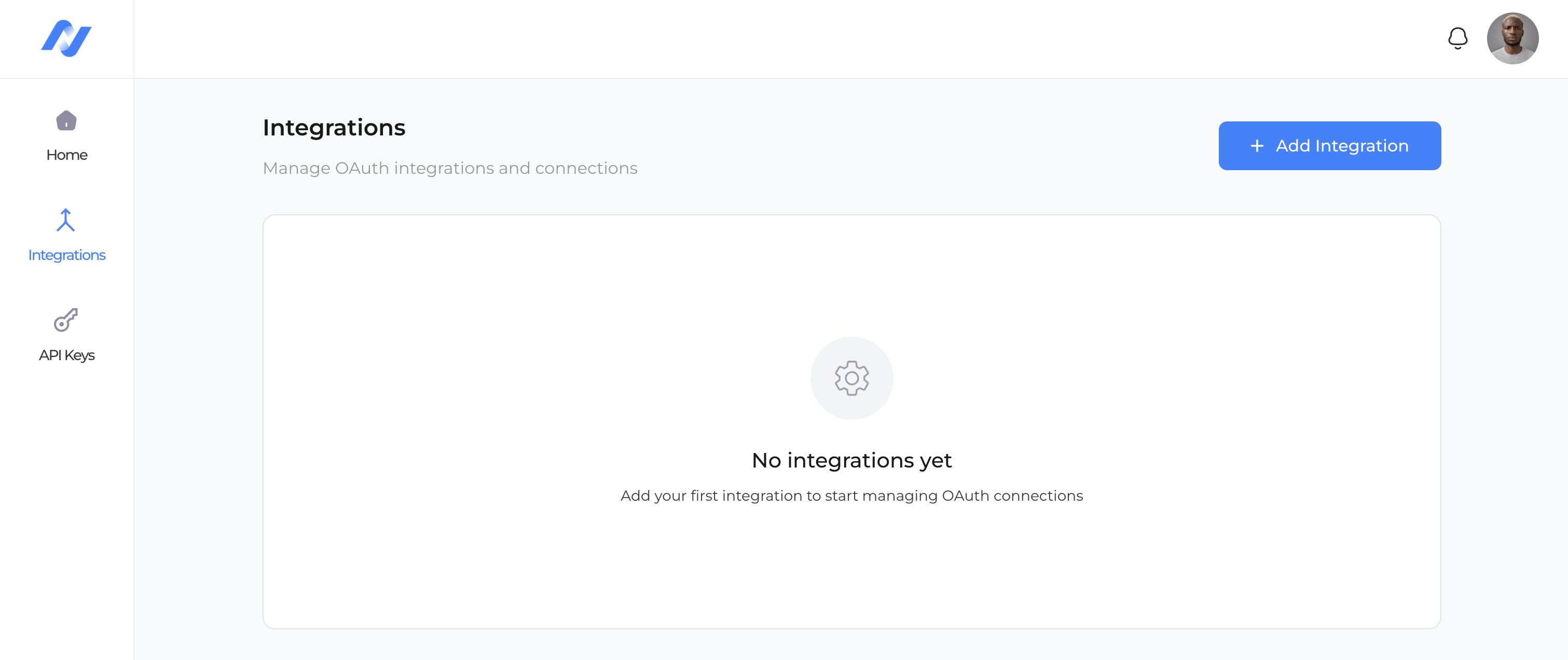
Open the Integrations page
Navigate to OAuth → Integrations in the sidebar, then click Add Integration. You'll be taken to /oauth/create.
Fill in the Settings form
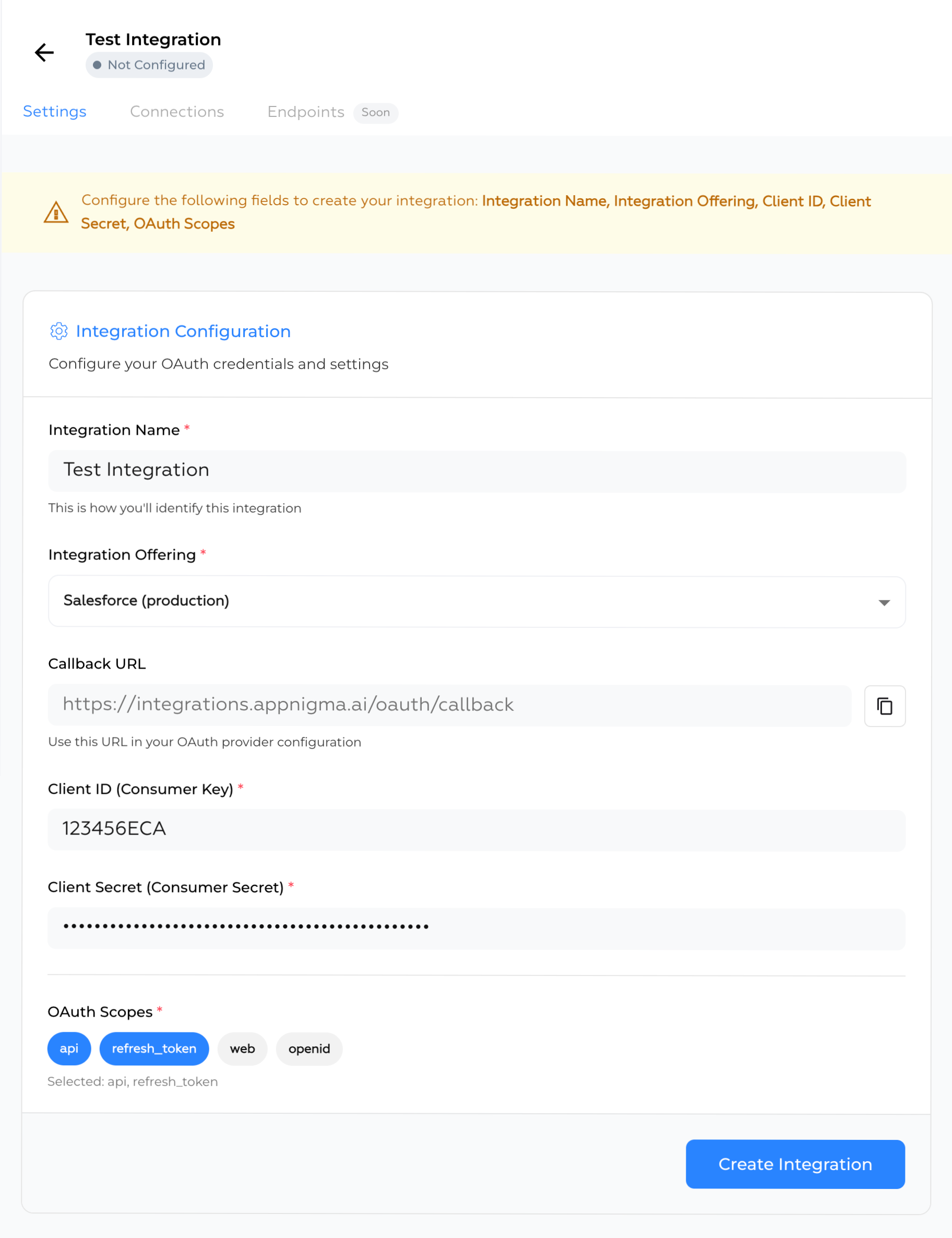
- Integration Name — a friendly label, e.g.
Salesforce Production. - Integration Offering — select the provider and environment from the dropdown.
- Client ID — paste your OAuth Consumer Key.
- Client Secret — paste your OAuth Consumer Secret (stored securely, never displayed again).
- OAuth Scopes — select the scope your integration needs. The
api,refresh_tokenare required. Optionally addweb,openid.
Copy the Callback URL
Copy the displayed Callback URL and paste it into your OAuth provider's connected-app configuration. It must match exactly — any mismatch will cause the OAuth flow to fail.
Save
Click Create Integration. On success, you'll be redirected to the integration's detail page at /oauth/{integrationId}.
Client secrets cannot be viewed after creation. To rotate a secret, open the integration's Settings tab and provide a new value.
A newly created integration starts in draft state until all required credentials are present and verified, at which point it transitions to configured. Only configured integrations can create new connections.